

Prezi

Interactive presentations and visual storytelling for nonprofits

Prezi is a presentation software that enables nonprofits and social purpose organisations to create dynamic, non-linear presentations. Instead of traditional slide-based formats, it uses a zoomable canvas to present ideas visually, helping teams communicate concepts, programmes, and impact more clearly and engagingly.
Communication and presentation challenges for nonprofits and social purpose organisations

Challenge
check

Traditional slide presentations can feel linear and less engaging

check

Explaining complex programmes or systems can be difficult with static slides

check

Teams may find it challenging to present impact stories in a visually clear way

Solution
check

Tools like Prezi help organisations present complex ideas through interactive, visual storytelling, enabling clearer communication and more engaging presentations.

Key capabilities of Prezi

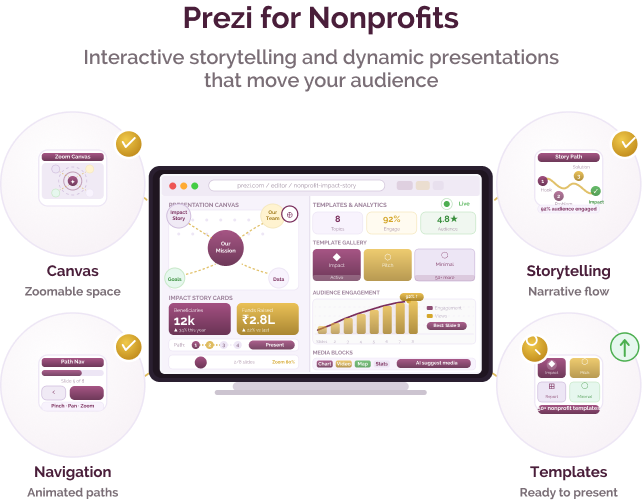
Four core capabilities that support presentation design:

Non-linear presentation structure

Present content on a zoomable canvas instead of fixed slides, allowing flexible navigation between topics.

Visual storytelling

Organise ideas spatially to show relationships, hierarchies, and connections between concepts.

Interactive navigation

Move between sections dynamically during presentations based on audience needs.

Templates and design support

Use ready-made templates and design tools to create structured presentations.

Pricing for Nonprofits

Free plan

  • Basic features with public presentations

Paid plan (Pro)

  • Additional features such as private presentations, advanced design options, and offline access
  • Typically offered as subscription-based plans

Prezi offers discounted pricing for eligible nonprofit organisations. Organisations should verify current details on the official website.

Best suited for which nonprofits?

Organisations presenting complex ideas

Useful for teams explaining programmes, systems, or impact frameworks.

Teams focused on communication and storytelling

Relevant for organisations creating presentations for donors, partners, or training contexts.

Similar tools for nonprofit presentations

Microsoft PowerPoint
Canva

Frequently Asked Questions

What is Prezi used for?

Prezi is used to create interactive, non-linear presentations that help communicate ideas and stories more visually.

Is it suitable for non-technical teams?

Yes, it is designed to be accessible, though teams may need some time to adapt to its non-linear format.

Is it free for nonprofits?

A free version is available, with paid plans and potential nonprofit discounts.

How is it different from PowerPoint or Google Slides?

Prezi uses a zoomable canvas instead of slides, allowing more flexible and visual storytelling.

When should a nonprofit choose Prezi?

Prezi may be suitable when organisations want to present complex ideas or narratives in a more engaging, visual format than traditional slide-based tools.

Want to learn more?

The information provided here is created as a community resource and is not intended as professional advice or a recommendation by ILSS or Koita Foundation. While we strive to ensure the accuracy of the content, we do not take responsibility for any errors or omissions. Users should use their own discretion before making any decisions based on this information. ILSS or Koita Foundation assume no liability for any actions taken based on the information provided.