
GIMP

Free, open-source image editing software for visual content creation

GIMP (GNU Image Manipulation Program) is a free and open-source raster graphics editor used for image editing, retouching, and visual content creation. It supports a wide range of image formats and provides tools for photo correction, composition, and design without licensing costs.
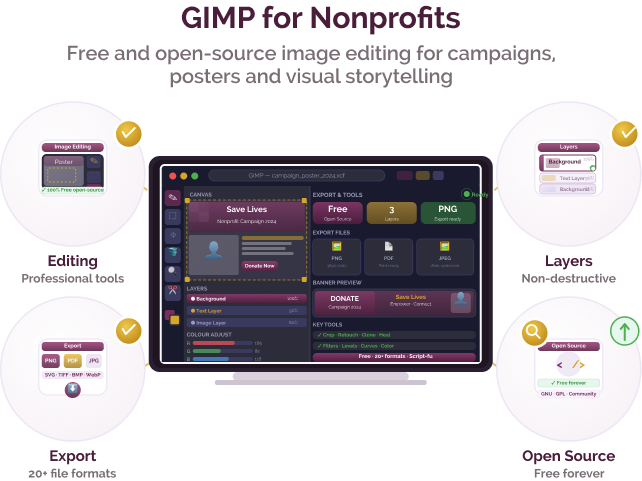
Visual content challenges for nonprofits and social purpose organisations

Challenge
check

Nonprofits need to create visuals for campaigns, reports, and outreach but may not have budgets for paid design tools

check

Teams often rely on basic tools that limit quality and consistency

check

Editing and preparing images for communication materials is time-intensive

check

Access to professional-grade software is limited

Solution
check

Tools like GIMP provide image editing and design capabilities at no cost, enabling organisations to create and manage visual content without licensing expenses.

Key capabilities of GIMP

Image editing and retouching

Edit, crop, colour-correct, and enhance images for communication and documentation

Graphic composition

Create posters, banners, and visual assets using layers and design tools

File format support

Supports formats such as JPG, PNG, TIFF, and PSD

Scripting and automation

Supports batch processing for tasks such as resizing or watermarking

Plugin ecosystem

Extend functionality through community-developed plugins

Open-source access

Free to use with no subscription or licence fees

Indian language support

GIMP supports community translations in languages such as Hindi, Bengali, and Tamil. Interface availability may vary depending on localisation.

Pricing for nonprofits

GIMP is free and open-source software with no subscription fees, licence costs, or usage limits.

Best suited for which nonprofits?

Organisations producing regular visual content

NGOs with limited budget for design software

Teams managing images for reports and communication

Programmes creating digital or print materials

Similar tools for image editing

Frequently Asked Questions

What is GIMP used for?

GIMP is used for editing images, creating graphics, and producing visual content for communication and reporting.

Is GIMP free for nonprofits?

Yes. GIMP is free and open-source software available to all users.

Is GIMP similar to Photoshop?

GIMP provides many core image editing features such as layers, filters, and colour correction, though it does not replicate all advanced capabilities.

Is GIMP easy to learn?

GIMP may have a learning curve compared to simpler tools, but tutorials and community resources are widely available.

Which organisations use GIMP?

DT4SI references organisations such as CRY and Oxfam India.

Want to learn more?

The information provided here is created as a community resource and is not intended as professional advice or a recommendation by ILSS or Koita Foundation. While we strive to ensure the accuracy of the content, we do not take responsibility for any errors or omissions. Users should use their own discretion before making any decisions based on this information. ILSS or Koita Foundation assume no liability for any actions taken based on the information provided.