
Google Meet

Video conferencing and meetings for nonprofits and distributed teams.

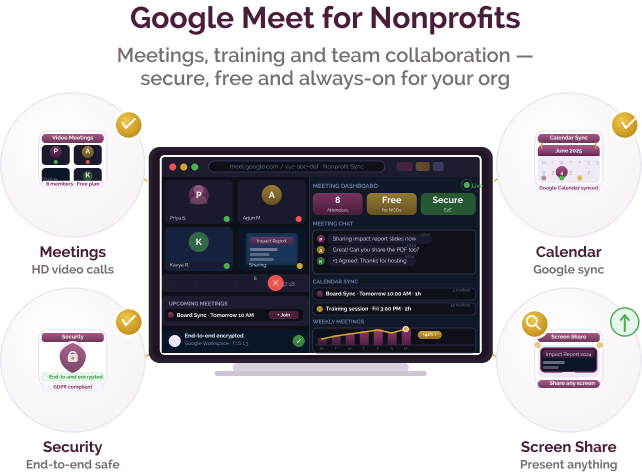
Google Meet is a video conferencing platform by Google that enables nonprofits and social purpose organisations to host secure online meetings, training sessions, and webinars. It integrates with Google Workspace, making it easy to schedule, join, and manage meetings directly from tools like Gmail and Google Calendar.
Communication challenges for nonprofits and social purpose organisations

Challenge
check

Teams and volunteers are distributed across locations, making coordination difficult

check

Scheduling and managing meetings across tools can be inefficient

check

Ensuring stable, high-quality video communication is often a challenge

Solution
check

Tools like Google Meet enable organisations to host reliable, scheduled, and secure video meetings integrated with their existing workflows

Key capabilities of Google Meet

Four core capabilities that make it a reliable communication tool for nonprofits:

Seamless scheduling and integration

Schedule and join meetings directly through Gmail and Google Calendar, reducing coordination effort.

High-quality video and scalability

Supports stable video calls with multiple participants, suitable for team meetings and large sessions.

Security and access control

Includes features like meeting permissions, encryption, and host controls to manage participation.

Accessibility and ease of use

Join meetings via browser or mobile app with simple links and minimal setup.

Indian language support

Google Meet supports multiple languages through Google’s interface and accessibility features, enabling use across diverse teams and regions.

Pricing for nonprofits

Free plan

  • Free version available with basic features
  • Limited meeting duration for group calls

Google Workspace plans

  • Extended meeting duration
  • Typically offered as subscription-based plans
  • Larger participant capacity
  • Recording and administrative controls
  • Integrated with Google Workspace tools

Best suited for which nonprofits?

Organisations already using Google Workspace

Ideal for teams using Gmail, Google Drive, and Calendar for daily operations.

Medium to large teams

Useful for organisations requiring stable, scalable, and well-integrated communication tools.

Similar tools for NGO communication

Frequently Asked Questions

What is Google Meet used for?

Google Meet is used by nonprofits for online meetings, team coordination, training sessions, and webinars through a secure and integrated platform.

Is it suitable for rural or low-connectivity areas?

It works across devices and networks, but stable internet is required for consistent video quality.

Is it free for nonprofits?

Google Meet offers a free version, with additional features available through Google Workspace plans.

Does it require a Google account?

Yes, hosting meetings typically requires a Google account, though participants can join via shared links.

When should a nonprofit choose Google Meet over other tools?

Google Meet is ideal for organisations already using Google Workspace and looking for a reliable, integrated video conferencing solution.

Want to learn more?

The information provided here is created as a community resource and is not intended as professional advice or a recommendation by ILSS or Koita Foundation. While we strive to ensure the accuracy of the content, we do not take responsibility for any errors or omissions. Users should use their own discretion before making any decisions based on this information. ILSS or Koita Foundation assume no liability for any actions taken based on the information provided.