

Zapier

No-code automation platform for connecting apps and workflows for nonprofits and social purpose organisations

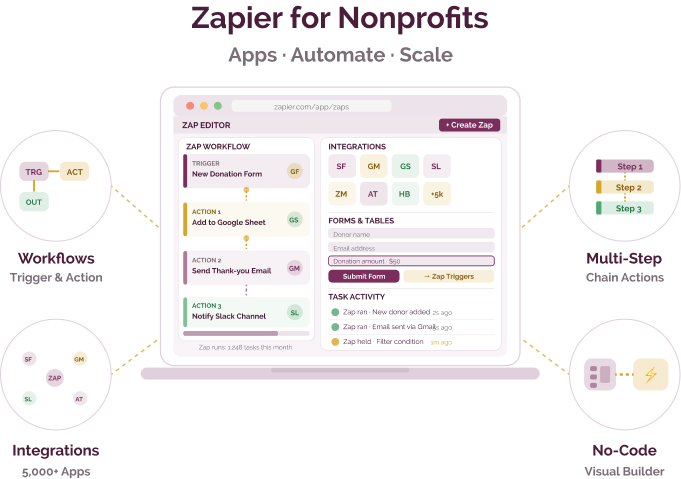
Zapier is a web automation platform that allows users to connect different web applications and automate workflows. It enables the creation of "Zaps" which are automated workflows between apps without requiring coding knowledge.
Workflow gaps across tools and systems

Challenge
check

Data is duplicated across multiple tools such as forms, spreadsheets, and CRMs

check

Teams rely on manual follow-ups for communication and reporting

check

Tools used by organisations often do not integrate directly

check

Staff time is spent on coordination instead of programme work

Solution
check

Tools like Zapier help organisations connect different applications and automate routine workflows without coding

Key capabilities of Zapier

Four core capabilities that support workflow automation across tools

Automated workflows (Zaps)

Trigger actions between apps based on defined events

Multi-step automation

Create workflows with multiple actions and conditional logic

App integrations

Connect with 6,000+ tools including CRMs, forms, and communication platforms

Built-in tools and interfaces

Create simple forms, tables, and automation layers within Zapier

Indian language support

Zapier works with tools that support multiple languages and is used alongside platforms commonly adopted in India

Pricing for nonprofits

Zapier offers tiered pricing based on tasks and features, with a discount for nonprofits

Free plan

  • 100 tasks per month
  • Single-step workflows
  • Limited update frequency

Starter plan

  • From ~$19.99/month (billed annually)
  • Multi-step workflows
  • Faster update intervals

Professional plan

  • From ~$49/month (billed annually)
  • Higher task limits
  • Advanced automation features

Nonprofit discount

  • ~15% discount for eligible organisations

Best suited for which nonprofits?

Check if your organisation is a match

Organisations using multiple digital tools

Useful where systems need to be connected and data flows automated

Teams with repetitive operational workflows

Reduces manual effort in communication, reporting, and coordination

Organisations with basic technical capacity

Setup is no-code but requires understanding of workflows

Frequently Asked Questions

When should an organisation use Zapier?

When multiple tools need to be connected and workflows automated across them

When is Zapier not the right fit?

If processes are simple or handled within a single tool, automation may not be necessary

Does Zapier store organisational data?

No, it transfers data between tools rather than storing it as a system of record

Can Zapier replace existing software systems?

No, it connects and automates tools but does not replace core systems

Does it require technical skills to set up?

Basic workflows are no-code, but understanding processes is important for effective setup

Want to learn more?

The information provided here is created as a community resource and is not intended as professional advice or a recommendation by ILSS or Koita Foundation. While we strive to ensure the accuracy of the content, we do not take responsibility for any errors or omissions. Users should use their own discretion before making any decisions based on this information. ILSS or Koita Foundation assume no liability for any actions taken based on the information provided.