

Looker Studio

Lightweight dashboarding tool for real-time data visualisation using Google tools.

Looker Studio, previously known as Google Data Studio, is a free, web-based tool designed for data visualization and business intelligence. It empowers users to build interactive dashboards and reports by connecting to a wide array of data sources. Essentially, it takes complex data sets and transforms them into clear, easy-to-understand reports that can be readily shared.
Data visualisation and reporting challenges for nonprofits

Challenge
check

Programme data is often spread across spreadsheets, analytics tools, and MIS systems

check

Reporting for funders and leadership is time-consuming and manually compiled

check

Static reports (Excel or PDF) are difficult to update, share, and explore

Solution
check

Looker Studio enables organisations to create interactive, real-time dashboards connected directly to their data sources, reducing manual reporting effort and improving visibility

Key capabilities of Looker Studio

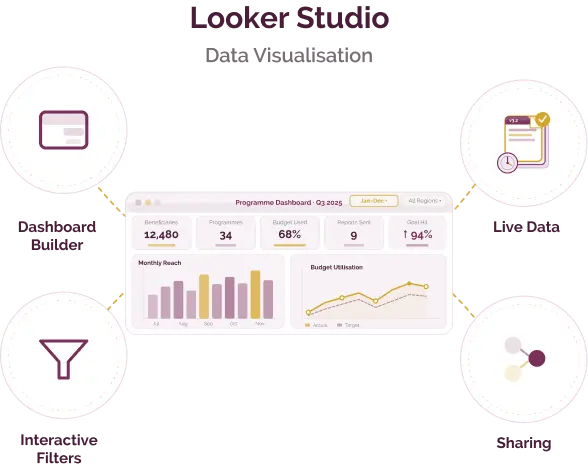
Drag-and-drop dashboard builder

Build interactive dashboards without writing code, using charts, tables, and scorecards

Live data connections

Connect directly to Google Sheets, Analytics, BigQuery, and other sources to keep dashboards up to date

Interactive filters and controls

Allow users to explore data by date, geography, programme, or other dimensions

Sharing and collaboration

Share dashboards via links with controlled access for internal teams or external stakeholders

Template library

Use pre-built templates for common reporting needs such as campaign tracking or programme dashboards

Calculated fields

Create custom metrics and transformations without modifying the original data source

Looker Studio in action

Funder reporting dashboards

Funder reporting dashboards

dashboards Monitoring and evaluation (M&E)

Create live dashboards showing programme reach, outputs, and outcomes, reducing the need for manual report preparation

Read Full Case Study
Programme monitoring dashboards

Programme monitoring dashboards

Digital operations and efficiency

Track field activity, attendance, and progress across locations in a single, shared view

Read Full Case Study
Campaign and website analytics dashboards

Campaign and website analytics dashboards

Fundraising and donor management

Visualise campaign performance, user behaviour, and conversion trends using data from Google Analytics

Read Full Case Study

Looker Studio interface is available in multiple languages, including Hindi. Data can be visualised in any language supported by the connected data source.

Looker Studio (standard)

Free for most users

Available for nonprofits, governments, and humanitarian organisations.

  • Full dashboard and reporting functionality
  • ntegrates with Google Workspace tools
  • Paid version (Looker Studio Pro) available for enterprise use

Best suited for which nonprofits?

Strong fit

  • Organisations using Google Sheets, Analytics, or BigQuery
  • Monitoring and evaluation teams needing recurring dashboards
  • Teams creating regular funder or leadership reports

May not be the best fit

  • Organisations requiring full data pipelines or ETL tools
  • Teams working with highly complex or unstructured datasets
  • Organisations needing advanced statistical modelling

Similar tools for NGO data analytics

Microsoft Power BI – more advanced data modelling and enterprise reporting capabilities
Tableau – strong visualisation flexibility and advanced analytics features

Frequently Asked Questions

What problem does Looker Studio solve for nonprofits?

It helps organisations turn raw data into interactive dashboards for reporting, monitoring, and decision-making.

When should a nonprofit use Looker Studio?

When data is stored in tools such as Google Sheets or Analytics and needs to be visualised in real time.

Does it require technical expertise?

Basic dashboards can be created easily, though more complex data modelling may require some technical knowledge.

How is it different from tools like Power BI?

Looker Studio is simpler and free, while Power BI offers more advanced modelling, automation, and enterprise features.

Can it be used with KoboToolbox data?

Yes. KoboToolbox data can be exported to Google Sheets or accessed via APIs and visualised in Looker Studio.

The information provided here is created as a community resource and is not intended as professional advice or a recommendation by ILSS or Koita Foundation. While we strive to ensure the accuracy of the content, we do not take responsibility for any errors or omissions. Users should use their own discretion before making any decisions based on this information. ILSS or Koita Foundation assume no liability for any actions taken based on the information provided.