
inkscape

Free, open-source vector design tool for NGOs and SPOs.

Inkscape is a free and open-source vector graphics editor. It enables users to create and edit scalable vector graphics (SVG), including illustrations, diagrams, line art, charts, logos, and complex design compositions. Being vector-based, outputs scale without quality loss to any size.
Design challenges for Nonprofits & Social Purpose Organisations

Challenge
check

Social purpose organisations need logos, infographics, and print materials that work across digital and large formats

check

Most teams rely on basic tools that do not scale well for print or professional use

check

Paid design software is expensive and often underutilised

Solution
check

Tools like Inkscape enable organisations to create professional, scalable design assets without licensing costs

Key capabilities of Inkscape

Four core capabilities that make it a strong design tool for the social sector

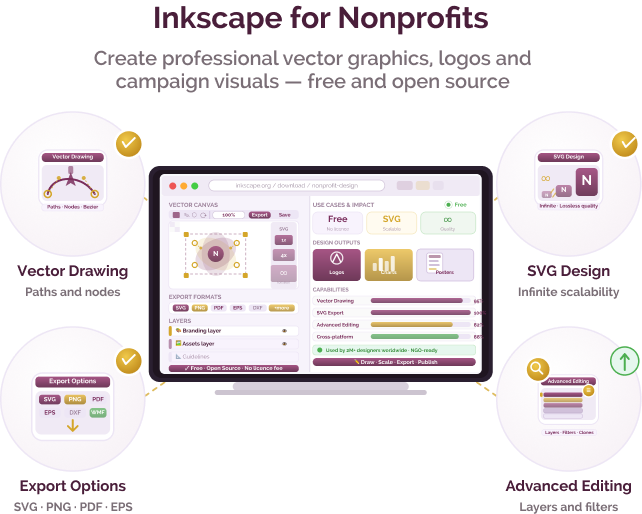
Vector Drawing Tools

Create precise logos, icons, and illustrations using shapes and paths

SVG-Based Design

Work in scalable vector format suitable for web and print

Flexible Export Options

Export designs to PDF, PNG, JPEG, EPS for different use cases

Advanced Editing (Node & Text)

Fine control over shapes and text layouts for detailed design work

Indian language support

Inkscape supports Unicode text rendering, enabling use of all Indian languages in design projects

Community translations available (partial):

Hindi Bengali

Pricing for nonprofits

Zimyo uses a per-user, per-month pricing model with a minimum billing threshold. Non Profit Organisations should confirm current pricing and features directly with the provider.

Free & Open Source

  • No licence cost
  • No subscription
  • No usage limits

Best suited for which nonprofits?

Organisations needing design capability without cost

Ideal for teams creating logos, infographics, and campaign materials

Organisations producing scalable print assets

Useful for banners, reports, and large-format visuals

Similar tools for NGO design & communication

Frequently Asked Questions

What is Inkscape used for?

Inkscape is used to create vector graphics such as logos, illustrations, diagrams, and scalable design assets for digital and print use.

Is it suitable for nonprofits?

Yes, it is fully free and open-source, making it accessible for organisations of any size.

Who typically uses it?

Communications teams, designers, volunteers, and programme staff creating visual content.

Can it create print-ready files?

Yes, it supports export to PDF and other formats suitable for printing.

Do users need prior design experience?

Basic design understanding is helpful, as Inkscape has a learning curve similar to professional design tools.

Want to learn more?

The information provided here is created as a community resource and is not intended as professional advice or a recommendation by ILSS or Koita Foundation. While we strive to ensure the accuracy of the content, we do not take responsibility for any errors or omissions. Users should use their own discretion before making any decisions based on this information. ILSS or Koita Foundation assume no liability for any actions taken based on the information provided.