

Google Looker Studio

An interactive dashboarding tool for data visualisation and reporting.

Google Looker Studio (formerly Google Data Studio) is a free, web-based data visualisation and reporting tool developed by Google. It enables organisations to transform raw data into interactive dashboards and shareable reports.

It connects to multiple data sources and presents information through charts, graphs, and tables, helping teams monitor performance and communicate insights effectively.
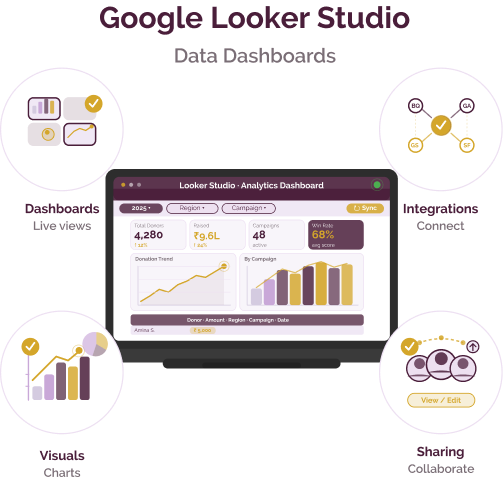
Google Looker Studio

Reporting and data interpretation challenges

Challenge
check

Raw datasets from multiple tools are often complex and hard to analyse without visualisation.

check

Data stored across spreadsheets, CRMs, and analytics platforms is not easily consolidated into a single view.

check

Teams spend significant time creating reports manually, leading to inefficiencies and delays.

check

Non-technical stakeholders often struggle to understand data without clear visual representation.

Solution
check

Google Looker Studio enables organisations to convert raw data into structured, visual dashboards that are easy to interpret and share. By connecting multiple data sources into a single interface, it simplifies reporting workflows and improves access to insights across teams.

Key capabilities of Google Looker Studio

Interactive dashboards

Create dynamic dashboards with filters, controls, and drill-down capabilities for deeper data exploration.

Integration with multiple data sources

Connect to spreadsheets, databases, and analytics tools to unify data in one place.

Customisable visualisations

Build charts, graphs, and reports tailored to organisational needs and branding.

Real-time collaboration and sharing

Share dashboards with teams and stakeholders, enabling collaborative decision-making and transparency.

Pricing

Free version

  • Free to use with a Google account
  • Unlimited dashboards and reports
  • Access to built-in connectors for Google data sources
  • Real-time collaboration and sharing

Looker Studio Pro (paid)

  • Starts at approximately $9 per user per month
  • Includes team workspaces and organisational ownership
  • Scheduled reporting and alerts
  • Enhanced access control and governance
  • Technical support via Google Cloud

Additional cost considerations

  • Third-party data connectors may have separate subscription costs
  • Pricing scales with number of users and usage needs

Best suited for which organisations

Organisations requiring regular reporting and dashboards

Ideal for nonprofits that need to track programme performance and communicate insights.

Teams with limited technical expertise

User-friendly interface enables non-technical users to create and manage dashboards.

Frequently Asked Questions

Is Looker Studio free to use?

Yes. Google Looker Studio offers a free version that includes core features such as dashboard creation, data connectors, and report sharing. It is suitable for individuals and small teams with basic reporting needs.

Does it require coding skills?

No. Looker Studio provides a drag-and-drop interface that allows users to create dashboards and reports without coding. Basic data understanding is helpful but not required.

Can it integrate with other tools?

Yes. Looker Studio connects with multiple data sources, including Google tools such as Sheets, Analytics, and BigQuery, as well as third-party connectors. This enables unified reporting across systems.

Can dashboards be shared with stakeholders?

Yes. Dashboards can be shared via links or access permissions, similar to Google Docs. This makes it easy to collaborate with teams and share insights with donors or leadership.

Is Looker Studio suitable for nonprofits with limited resources?

Yes. Its free version, ease of use, and integration with commonly used tools make it well-suited for nonprofits looking to build reporting capabilities without significant technical or financial investment.

Want to learn more?

The information provided here is created as a community resource and is not intended as professional advice or a recommendation by ILSS or Koita Foundation. While we strive to ensure the accuracy of the content, we do not take responsibility for any errors or omissions. Users should use their own discretion before making any decisions based on this information. ILSS or Koita Foundation assume no liability for any actions taken based on the information provided.