
Microsoft Excel

Spreadsheet tool for data management, analysis, and reporting

Microsoft Excel is a spreadsheet application developed by Microsoft that enables organisations to organise, analyse, and manage data using tables, formulas, and visualisations.

It is widely used for data entry, calculations, reporting, and basic analytics, making it a foundational tool for programme and operational data management.
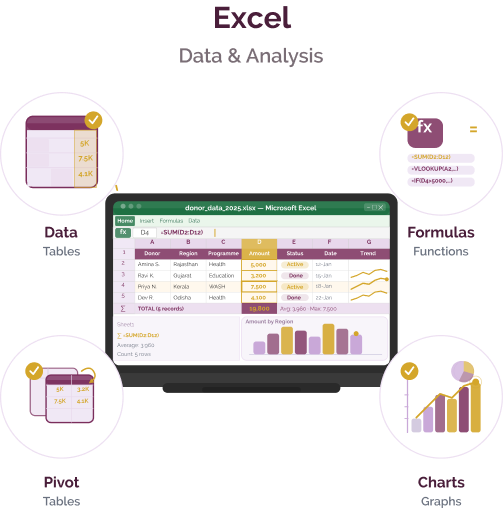
Microsoft Excel

Data management and reporting challenges

Challenge
check

Data is often stored across multiple files and sheets, leading to duplication and inconsistencies.

check

Data cleaning, calculations, and reporting are time-consuming and prone to human error.

check

Spreadsheets may struggle with performance as data volume increases.

check

Inconsistent formats and practices make it difficult to maintain data quality and reliability.

Solution
check

Microsoft Excel provides a flexible environment for organising, analysing, and visualising data. It enables organisations to structure datasets, perform calculations, and generate reports without requiring specialised technical skills.

Key capabilities of Microsoft Excel

Data organisation and management

Structure and store data in tables with sorting, filtering, and validation features.

Formulas and calculations

Perform calculations using built-in functions for data analysis and processing.

Pivot tables and summarisation

Summarise large datasets and extract insights through pivot tables.

Charts and visualisations

Create graphs and charts to present data in an understandable format.

Pricing for nonprofits

Free version (nonprofit grant)

  • Microsoft 365 Business Basic available free for up to 300 users
  • Web-based Excel and Office apps
  • Microsoft Teams
  • 1 TB cloud storage per user

Discounted plans (nonprofit pricing)

  • ₹750 per user per month (annual commitment)
  • Desktop, web, and mobile versions of Excel
  • Microsoft Office apps (Word, PowerPoint, Outlook)
  • 1–5 TB cloud storage per user
  • Microsoft Teams for collaboration
  • Security and compliance features

Higher-tier plans

  • Advanced security, analytics, and AI capabilities
  • Includes tools such as Power BI and advanced threat protection
  • Availability and pricing vary by region

Best suited for which organisations?

Organisations managing small to medium datasets

Ideal for nonprofits handling structured data without complex infrastructure needs.

Teams with limited technical expertise

Accessible to non-technical users for data entry, analysis, and reporting.

Frequently Asked Questions

Is Microsoft Excel a reporting tool?

Excel supports basic reporting and visualisation but is not a full-featured dashboarding platform.

Does Excel require technical expertise?

No. Basic usage is accessible to most users, though advanced features may require training.

Can Excel handle large datasets?

It can handle moderate datasets, but performance may decline with very large data volumes.

Is Excel suitable for nonprofits?

Yes. It is widely used for budgeting, tracking, and reporting due to its flexibility and accessibility.

Does Excel support collaboration?

Yes. With Microsoft 365, users can collaborate in real time using cloud-based versions.

Want to learn more?

The information provided here is created as a community resource and is not intended as professional advice or a recommendation by ILSS or Koita Foundation. While we strive to ensure the accuracy of the content, we do not take responsibility for any errors or omissions. Users should use their own discretion before making any decisions based on this information. ILSS or Koita Foundation assume no liability for any actions taken based on the information provided.