

Google Sheets

Cloud-based spreadsheet tool for data management and lightweight programme workflows

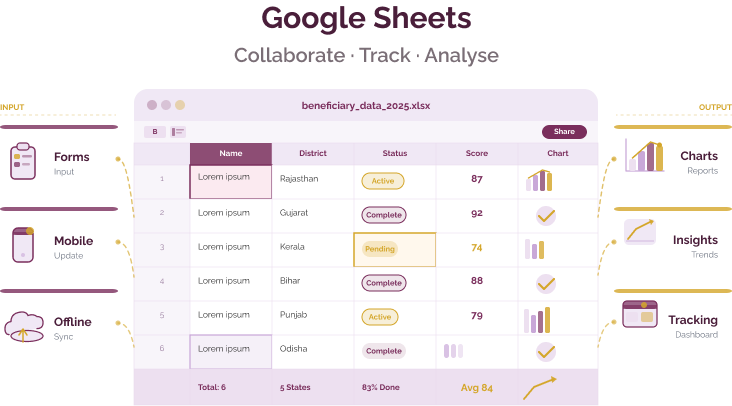
Google Sheets is a cloud-based spreadsheet tool used by nonprofits and social purpose organisations to manage programme data, track operations, and generate reports collaboratively.

While not a dedicated data collection platform, it is widely used as a flexible data management layer, often combined with tools like Google Forms or external survey platforms.

Google Sheets

Programme data challenges

Challenge
check

Data stored in disconnected spreadsheets across teams

check

Version conflicts and lack of real-time updates

check

Manual consolidation and reporting delays

check

Limited access control in offline files

check

Dependence on individuals for managing data

Solution
check

Google Sheets enables real-time collaboration on shared datasets, creating a single source of truth. Teams can update, analyse, and report on programme data simultaneously without technical expertise.

Key capabilities

Real-time collaboration

Multiple users can edit the same sheet simultaneously with automatic version history and change tracking.

Built-in data analysis tools

Use formulas, filters, pivot tables, and queries to analyse programme data without specialised software.

Offline editing support

Data can be captured offline via mobile apps and synced when connectivity is restored.

Integration with Google Forms and tools

Automatically capture structured data from forms and integrate with tools like Looker Studio for dashboards.

Automation and validation

Use Apps Script, conditional formatting, and validation rules to automate workflows and improve data quality.

Google Sheets in action

Prabodhanam Foundation — programme data management

Prabodhanam Foundation — programme data management

Programme data management and coordination

Used Google Workspace tools, including Sheets, to manage programme data and coordinate operations across field teams, reducing manual reporting effort.

Read Full Case Study


Google Workspace for Nonprofits — sector-wide adoption

Google Workspace for Nonprofits — sector-wide adoption

Collaborative data management and reporting

Over 2 million nonprofits globally use Google Workspace tools, including Sheets, for data management, collaboration, and reporting across programmes.

Read Full Case Study

Indian Language Support

Google Sheets supports multilingual usage across interface and data entry.

Interface is available in Hindi, Bengali, Tamil, Telugu, Marathi, Gujarati, Kannada, Malayalam, Punjabi, and data can be entered in any language using Unicode.

Pricing for nonprofits

Google Sheets is part of Google Workspace.

Free (personal use)

  • Available with a Google account
  • 15 GB shared storage
  • Suitable for small teams and basic workflows

Google Workspace for Nonprofits

  • Free Business Starter plan for eligible nonprofits
  • 30 GB storage per user
  • Includes admin controls, collaboration tools, and support

Paid plans

  • Start at approximately US$6 per user per month
  • Additional storage and advanced collaboration features

Best suited for which nonpofits?

Small to mid-sized programmes managing structured datasets

Teams requiring collaborative data tracking and reporting

Organisations using Google Workspace

Programmes with moderate data volumes (up to approximately 10,000–20,000 records per sheet)

Frequently Asked Questions

What is Google Sheets best used for?

It is best suited for managing, analysing, and sharing programme data collaboratively.

Can Google Sheets be used for data collection?

Yes, indirectly through Google Forms or integrations, but it is not designed for structured field data collection.

Does Google Sheets work offline?

Yes, with setup. Offline editing is available through mobile and browser modes, with syncing when connectivity returns.

How is Google Sheets different from KoboToolbox?

Google Sheets manages and analyses data, while KoboToolbox is designed for structured field data collection.

Can Google Sheets handle large datasets?

Google Sheets supports up to 10 million cells per spreadsheet, but performance may decline at larger scales.

Want to learn more?

The information provided here is created as a community resource and is not intended as professional advice or a recommendation by ILSS or Koita Foundation. While we strive to ensure the accuracy of the content, we do not take responsibility for any errors or omissions. Users should use their own discretion before making any decisions based on this information. ILSS or Koita Foundation assume no liability for any actions taken based on the information provided.