

Dropbox

Cloud file storage and sharing platform for nonprofits and social purpose organisations

Dropbox is a cloud-based storage platform that enables organisations to store, organise, and share files across teams. It supports collaboration through shared folders, file access controls, and version history.
Knowledge and documentation challenges

Challenge
check

Files are stored across personal devices, emails, or local systems, making access difficult

check

Teams struggle with version control when multiple people work on the same documents

check

Sharing large files with partners or stakeholders is inconsistent

check

Data is not centrally organised, leading to duplication and loss of information

Solution
check

Dropbox enables organisations to store files centrally, manage access, and share documents across teams and stakeholders.

Key capabilities of Dropbox

Cloud file storage

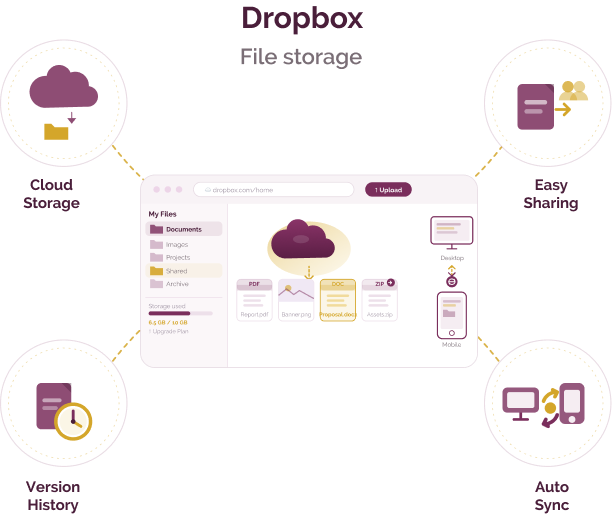
Store and organise documents, images, and files in a centralised system

File sharing and collaboration

Share files and folders with controlled access and permissions

Version history and recovery

Track file changes and restore previous versions when needed

Sync across devices

Access files across desktop, mobile, and web with automatic synchronisation

Pricing for nonprofits

Free plan

  • Limited storage, suitable for basic individual use

Paid plans

  • Start from approximately $9.99/user/month
  • Includes additional storage, sharing controls, and security features

Nonprofit access

  • No dedicated nonprofit programme is publicly listed

Best suited for which nonprofits?

Organisations needing central file storage

Useful for managing and accessing documents across teams

Organisations working with distributed teams

Supports file sharing and collaboration across locations

Frequently Asked Questions

What is Dropbox used for?

Dropbox is used to store, share, and access files across teams and devices.

Is it suitable for nonprofits?

It can be used by organisations to manage files and support collaboration across teams.

Can it replace Google Drive?

It provides similar file storage and sharing capabilities; suitability depends on organisational needs and existing tools.

Does it support collaboration?

Yes, through shared folders, file permissions, and version history.

Is it secure?

It includes features such as encryption and access controls; organisations should review settings based on their requirements.

Want to learn more?

The information provided here is created as a community resource and is not intended as professional advice or a recommendation by ILSS or Koita Foundation. While we strive to ensure the accuracy of the content, we do not take responsibility for any errors or omissions. Users should use their own discretion before making any decisions based on this information. ILSS or Koita Foundation assume no liability for any actions taken based on the information provided.