
Google Forms

A free, browser-based form and survey tool used by NGOs for intake, volunteer registration, and operational data capture.

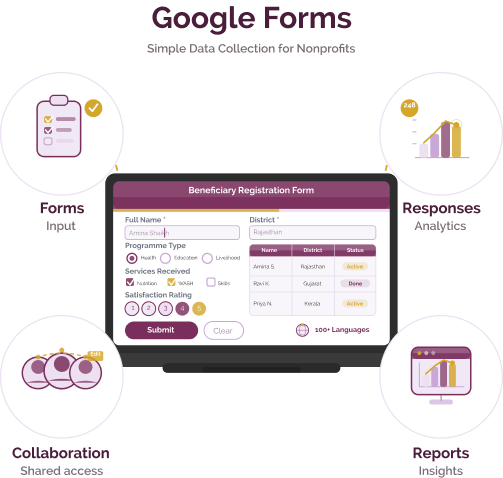
Google Forms is a free, browser-based form and survey tool used by nonprofits and social purpose organisations to collect beneficiary data, registrations, and operational information in real time through Google Sheets.
Google Forms

Data collection challenges for nonprofits & social purpose organisations

Challenge
check

Many organisations rely on paper, WhatsApp, or Excel for collecting data

check

Data is fragmented, delayed, and difficult to consolidate

check

Limited ability to use data for real-time programme decisions

Solution
check

Tools like Google Forms help organisations capture structured data quickly and organise it in real time

Key capabilities of Google Forms

Four core capabilities that make it a practical entry-level data collection tool.

Form & survey creation

Build forms with multiple question types and simple logic — no coding required

Online data collection

Collect responses via links across mobile and desktop devices

Data aggregation & reporting

Responses automatically flow into Google Sheets for tracking and analysis.

Collaboration & sharing

Non profit Teams can create, edit, and manage forms together.

Indian Language Support

Google Forms supports 100+ languages, including Hindi, Bengali, Tamil, and Telugu. Form content must be created manually in the required language.

Pricing for nonprofits

Free Community Access

  • Unlimited form creation
  • Real-time response capture
  • Google Sheets integration

Paid Workspace Plans

  • Higher storage
  • Admin controls and audit logs
  • AI-assisted features

Best suited for which nonprofits?

Non profit organisations digitising basic workflows

Ideal for moving from paper or WhatsApp to structured digital forms

Programmes with internet-connected users

Best suited where respondents can reliably submit forms online

Frequently Asked Questions

What is Google Forms used for?

Google Forms is used to collect structured data such as beneficiary information, registrations, feedback, and internal reports through simple online forms.

Can Google Forms work offline?

No. Google Forms requires an internet connection to submit responses. It is not suitable for offline field data collection.

Is it suitable for rural India?

Only in areas with reliable internet access. For low-connectivity environments, tools like KoboToolbox are more appropriate.

Can it track beneficiaries over time?

Not natively. Each submission creates a new record. Tracking requires additional management in Google Sheets or a dedicated system.

Can Google Forms be shared via WhatsApp?

Yes. Google Forms generates a shareable link that can be sent through WhatsApp, SMS, or email, making it easy to deploy quickly across teams and communities.

Want to learn more?

The information provided here is created as a community resource and is not intended as professional advice or a recommendation by ILSS or Koita Foundation. While we strive to ensure the accuracy of the content, we do not take responsibility for any errors or omissions. Users should use their own discretion before making any decisions based on this information. ILSS or Koita Foundation assume no liability for any actions taken based on the information provided.